Frequently Asked Questions
Business AirFibre
General
-
- Business AirFibre 149: Includes unlimited voice calls (to all domestic mobile/fixed numbers and Business Voice Go Hotline) and unlimited mobile data. SMS is not supported.
- Business AirFibre 79: Includes unlimited mobile data. SMS is not supported.
- Special Offer: New Business AirFibre sign-ups can opt-in for a free 24-month subscription to Enterprise SMS ONEBiz Lite (valued at RM432) at registration.
-
Business AirFibre plans are available only for new registration and open to all businesses in Malaysia.
-
Business AirFibre 79: No contact
Business AirFibre 149: 24 months contract for plan bundled with modem
-
Yes, customers can subscribe to Business AirFibre 79 plan only.
-
The monthly subscription fee for Business AirFibre is RM79/month while Business AirFibre 149 is RM149/month. First month fee is pro-rated if service is activated midway through your billing cycle. The charges will appear under Monthly Charges section on your Maxis Postpaid bill.
-
You are required to provide your own DECT phone.
-
The Fair Usage Policy is 1500GB (1.5TB) per month.
To know more about the Fair Usage Policy (FUP) for all services, click here.
-
You can check the latest 5G coverage on our website or on DNB website. We're constantly expanding our coverage, so be sure to check back for updates!
-
If your 5G signal is weak or you're disconnected, your device will automatically switch to a stronger network like 4G LTE. When 5G is available again, it will reconnect automatically.
-
No, the modem is locked to work with Maxis SIM card only.
-
Business AirFibre is for use in Malaysia only and doesn't work while roaming overseas.
-
Call our Business Contact Centre at 1800-82-1919 for help.
Device Setup
-
Simply plug it in and follow the instructions provided. It's easy to set up and ready to use.
-
Watch this step-by-step video guide on how to setup your 5G router.
Here are some recommended tips:
There are 3 signal indicator lights (from top to bottom) to show signal strength. Steady white lights mean you are connected to 5G network. The more lights are on, the stronger the signal.
Best placement of 5G router:
Place your router in a central location close to a window where there is also a power source. Concrete walls, metal doors can reduce cellular signal from the tower. Placement in basements should be avoided.
Signal strength:
Once your device(s) is connected to the router, you can check the signal strength by checking the signal indicators on the Router or after logging into the 5G router web page on the connected device. If you do not have full network signal bars, try setting up the router in another location of your home.
For better WiFi Connection:
Minimize interference by trying to keep the following items no closer than 2~3 metres from your router: Cordless telephone base stations, microwaves, baby monitors, bluetooth devices, wireless speaker systems.
Avoid congestion since adding additional devices to your Wi-Fi network may reduce the speed for all devices on that network.
Make sure you have a good Wi-Fi signal on your router.
-
Firstly, you need to acquire a Dect Phone that will be connected to RJ11 port at the modem.
Then, configure the voice feature on the modem with the step-by-step instructions below.- Step 1
- Log-in to CPE/Router admin portal at http://192.168.8.1
(access credentials are on the bottom of the CPE) - Once entered, click on ‘Advanced’ menu option
- Log-in to CPE/Router admin portal at http://192.168.8.1
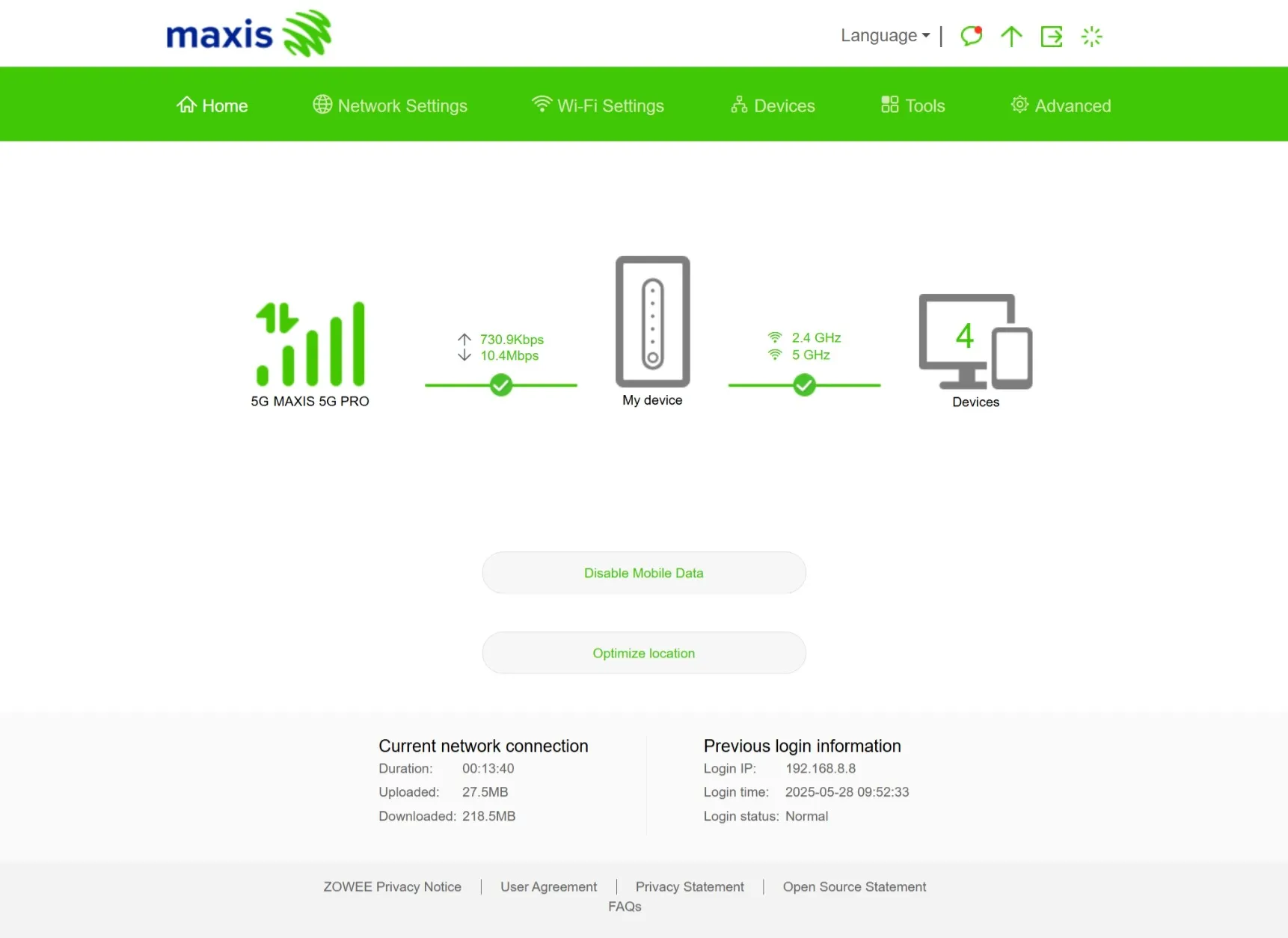
- Step 2
- In ‘Advanced’ page, click on 'IMS' menu
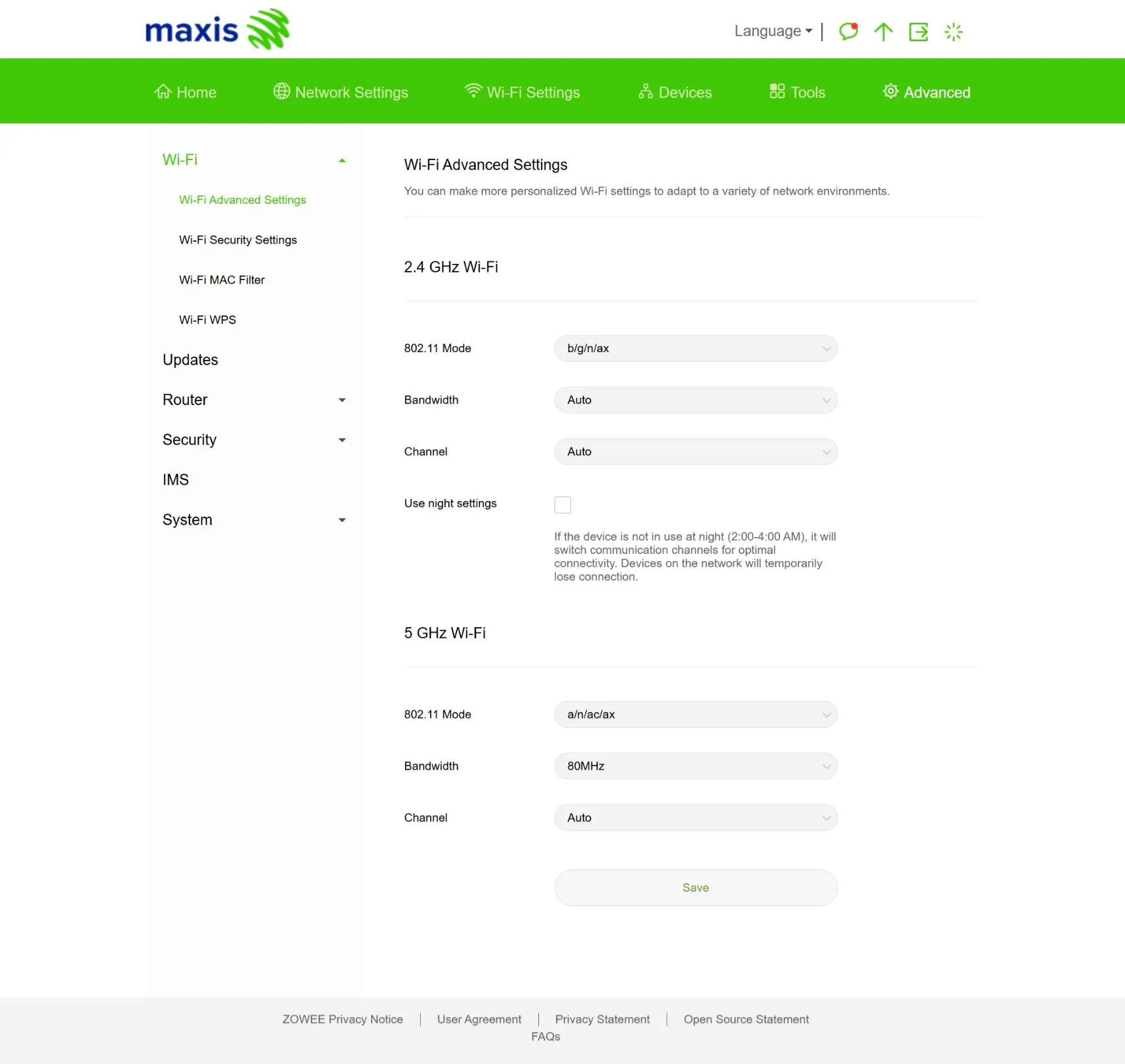
- Step 3
- In ‘IMS’ page, turn on the 'IMS' menu option
- Once enabled, customer can start to make & receive calls
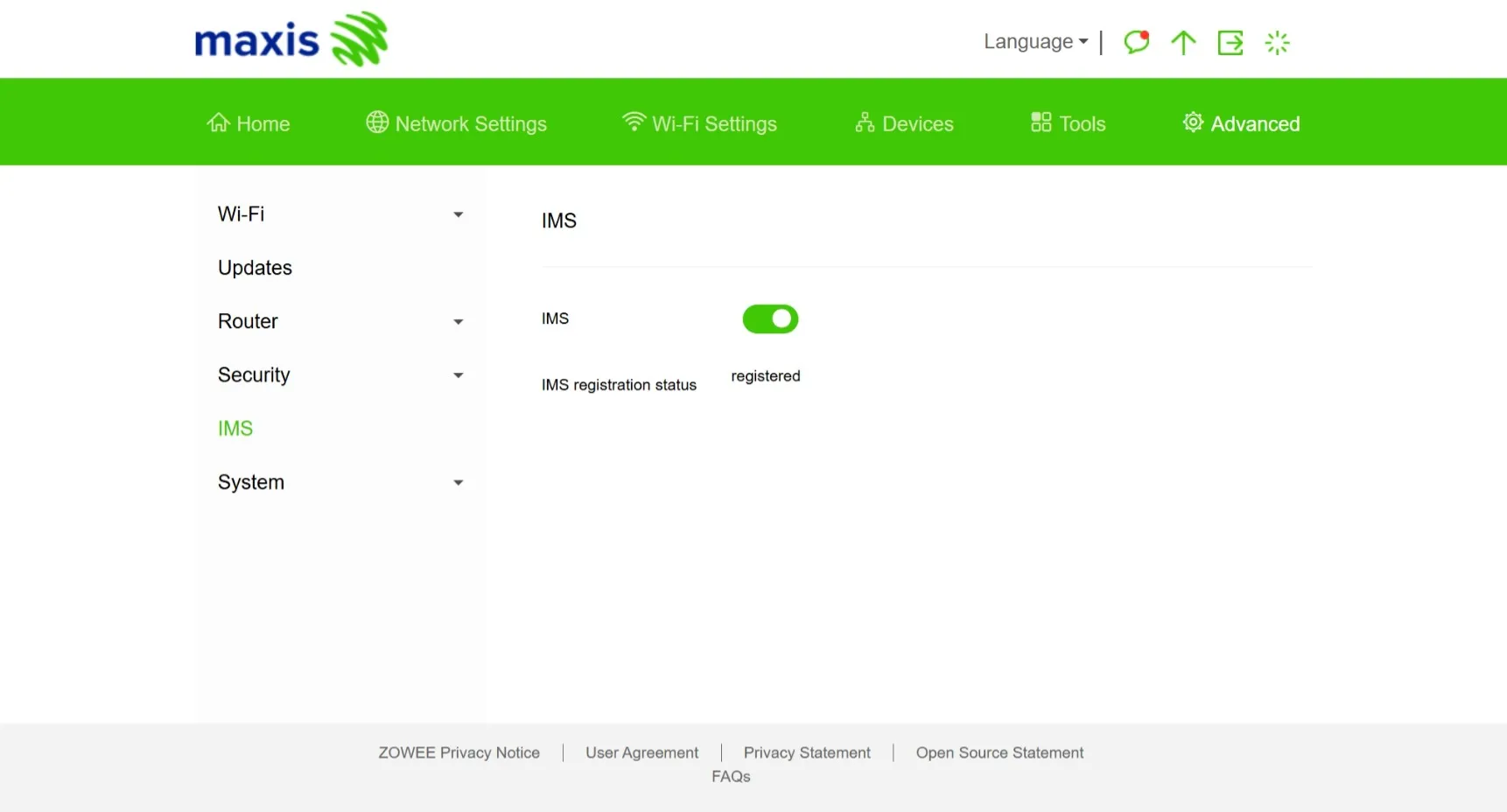
- Step 1
